A category page should help people choose, not just give Google something to index.
That is where I start with ecommerce category page SEO. A shopper searching for a commercial refrigerator has not necessarily chosen a brand, door configuration, or cabinet size. Someone searching for a floor bed may still be comparing dimensions, materials, and what is included. Sending either person to a wall of nearly identical product cards is only half a solution.
My work in ecommerce marketing at Atlantic keeps this problem practical. We sell equipment buyers must evaluate carefully, often alongside the same products offered by other dealers. A collection page has to explain the range, narrow the options, and make the next decision easier. Being discoverable matters. Being useful after the click matters just as much.
Ecommerce category page SEO is the work of matching a product collection to a searcher’s buying intent, making its products discoverable, and presenting enough useful information to help that visitor choose. On Shopify, these are collection pages. Elsewhere, they may be called product listing pages, category pages, or PLPs.
This guide covers keyword targeting, category structure, product selection, copy, filters, pagination, Shopify implementation, and measurement. I use real Atlantic and Montoddler pages to make the decisions concrete.
Example note: I work on ecommerce marketing at Atlantic. The page observations below were reviewed on September 24, 2026. Suggested copy and experiments are identified as proposals, not claims about changes already implemented or measured revenue improvements. Catalogs and page layouts can change.
1. Match the Query to the Right Page
I do not begin by asking how many times a keyword should appear in the description. I ask what the person needs to do next.
A category is a strong candidate when a visitor needs to compare several relevant products. A product page is more appropriate when the visitor has identified a specific model. An article is useful when the visitor needs an explanation before shopping. Some searches mix these needs, so I inspect the actual results in the target country and on the target device before choosing a format.
| Example query | Likely task | Page to evaluate |
|---|---|---|
| commercial refrigerator | Compare equipment types and models | A broad commercial refrigeration collection |
| two door commercial refrigerator | Compare a narrower product group | A dedicated subcategory if inventory and demand justify it |
| True T-49-HC | Check one model’s details | The model’s product page |
| how to choose a commercial refrigerator | Understand selection criteria | A buying guide connected to relevant collections |
| floor bed | Explore and compare a product type | A collection, supported by clear product information |
For each proposed category, I record the primary query, related queries, buyer task, intended URL, and the existing URL already receiving impressions. That last field prevents an easy mistake: building a second page because I forgot the first one exists.
Search volume is useful, but it is not a business case on its own. A smaller category with suitable inventory and buyers ready to act can deserve attention before a broad term that attracts the wrong audience. I would rather earn relevant visits than celebrate impressions for products we cannot supply.
This is where category work connects to ecommerce content marketing. A buying guide and a collection should support the same buying journey without becoming two interchangeable pages competing to answer the same question.
2. Decide Whether a Category Deserves Its Own URL
Not every filter needs a landing page. Not every keyword variation needs a different collection.
Before creating one, I use five questions:
- Demand: Is there evidence of a distinct shopping need in search queries, customer conversations, or internal search?
- Assortment: Can we offer a meaningful selection that genuinely fits that need?
- Difference: Would this page help someone make a different decision from the parent category?
- Access: Can we place it naturally in navigation or related-category links?
- Maintenance: Who will keep its products, claims, and availability accurate?
These are editorial questions, not a Google scoring formula. There is no universal minimum product count. A specialist collection with a few genuinely distinct choices can be valuable; a large collection of irrelevant products can still be a poor answer.
For example, a proposed glass door commercial refrigerators collection may address a recognizable need. A page combining a brand, a tiny price interval, a voltage, and a temporary promotion is much less likely to deserve a permanent place in search. It might still be a useful filtered view for a shopper already on the site.
When two existing collections overlap, I compare their inventory, query data, links, and conversion paths before merging them. Shared products alone do not make pages duplicates. The question is whether the pages serve distinguishable needs. If I consolidate a genuinely redundant page, I redirect it to the closest equivalent and update its internal links rather than leaving a chain of redirects.
3. Three Real Examples: Different Products, Different Decisions
Atlantic Commercial Refrigerators: Make Technical Differences Visible
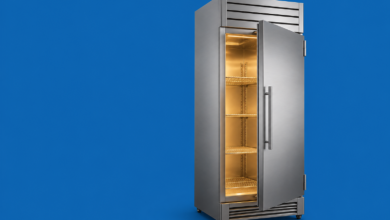
Atlantic’s commercial refrigerator collection provides links to more specific refrigerator types and filters including brand, door count, voltage, and door type. These are visible features of the page, not hypothetical additions.
The lesson I take from this is that a category should organize a decision, not merely organize a database.
My proposed next test would be a consistent comparison summary on product cards. Instead of expecting a buyer to interpret every model name, I would select the attributes most useful for this category: exterior width, door configuration, electrical requirements, and a clearly qualified availability status. Each value must come from verified product data.
Consider two cards that both show a photograph, model code, and price. The shopper may need to open both just to find out whether either unit fits. Bringing the decisive attribute into the list can reduce that unnecessary work. That is a hypothesis to test through product selection and inquiry quality, not an automatic promise of higher sales.
Proposed introduction: Compare commercial refrigerators by cabinet size, door configuration, and electrical requirements. Explore the equipment types below, then check each model’s specifications, clearances, and delivery details before choosing.
I would avoid an opening paragraph full of “best,” “premium,” and “unbeatable.” Those words do not tell an operator whether the equipment is suitable.
At Atlantic, advertised pricing also has to respect applicable manufacturer MAP policies. That makes selection guidance and reliable information especially important. I would not build a differentiation strategy around unsupported discount promises. This connects to my broader argument in Same Product Better People: when the product is familiar, the quality of the buying experience still matters.
Atlantic Walk-In Coolers: Explain What the Price Includes
The Atlantic walk-in collection includes filters for floor configuration, refrigeration, usage, and nominal dimensions. The listing also contains a custom option with a quote request. These observations illustrate a more complex purchase than choosing one standard product from a shelf.
My proposed content brief would start with a different question: what might a buyer wrongly assume is included?
- Does the listed configuration include refrigeration equipment?
- Is the enclosure supplied with a floor?
- Which dimensions are nominal, and where are the exact specifications?
- What needs confirming about the installation site?
- When should the customer request a quote rather than order a listed configuration?
The category does not need to become an installation manual. It needs to identify the questions and direct customers to the right specifications or qualified assistance. Technical suitability must be confirmed for the actual equipment and site, not inferred from a short marketing description.
Proposed introduction: Compare walk-in configurations by dimensions, intended location, floor option, and refrigeration package. Check what each listing includes. For a project that needs a different configuration, request a quote with your site requirements.
For this collection, I would measure qualified quote submissions alongside purchases. A visitor who correctly realizes that a standard package does not fit and requests a suitable configuration has not necessarily “failed to convert.” The measurement has to reflect how the business actually sells.
Montoddler: Make Similar-Looking Products Easier to Compare
The Montoddler Montessori bed collection presents product cards with prices and ratings, plus size, price, and stock filtering. Its navigation also distinguishes Montessori beds from toddler floor beds. Those are the observable page features I am using for this example.
My proposed test would focus on comparison clarity: dimensions, material, base or slat configuration, mattress inclusion, and the differences between available designs. These attributes should appear consistently rather than being scattered across product names and descriptions.
A size label by itself may not answer the buyer’s question. I would make the exact product and compatible mattress dimensions easy to reach, and distinguish a size option from a statement about suitable age or use. A merchandising label should never substitute for verified manufacturer guidance.
I would also investigate overlap between “floor bed,” “toddler floor bed,” and “Montessori bed” using query-to-page data. I would not assume that three different phrases automatically require three different indexable collections, nor merge useful pages simply because some products overlap.
The common principle across all three examples: the right content is the information that removes a specific obstacle to choosing. The obstacle changes with the product.
4. Build the Page Around the Buying Decision
My preferred starting layout is intentionally simple:
- Breadcrumbs and a clear H1: Show where the shopper is and what belongs here.
- A concise introduction: Explain the selection and the first important choice.
- Relevant subcategory links: Offer useful routes into a broad assortment.
- Filters, sorting, and product count: Help shoppers narrow the range and understand the result.
- A comparable product grid: Present the attributes that matter for this category.
- Buying guidance: Explain trade-offs, exclusions, and common questions.
- The next helpful route: Link to a guide, adjacent category, or appropriate support option.
This is a starting template, not a rule that every retailer must copy. A broad department page may need subcategory navigation before products. A narrow collection may be ready to show products immediately.
How Much Category Description Is Enough?
I do not give a writer a word count and call it an SEO strategy. I give them the unanswered buying questions.
For the first screen, I would test a short introduction that establishes relevance without pushing useful products far down the page. More detailed guidance can sit below the grid or in clearly labeled expandable sections. Important specifications should not be hidden behind vague labels or made difficult to use on a phone.
The test for every paragraph is: What can a shopper now understand or do that they could not do before? If the answer is only “see the keyword again,” the paragraph probably does not belong.
Use Product Data Before Writing More Copy
Imagine a filter that separates “115V,” “115 Volts,” and “115 volt” into three choices. The immediate problem is data consistency, not a lack of prose.
I would agree on attribute names, units, missing-value rules, and verification responsibilities before redesigning filters. Missing information must remain missing until verified; an AI tool should not fill a technical specification by guessing. My approach to improving product pages with AI applies here too: use automation to assist review, not to manufacture certainty.
Connect Categories Through Useful Links
Google recommends a navigable path from menus to categories, subcategories, and products, using crawlable links. It also explains that links help it understand relative page importance. A product available only through a search box may be missed by ordinary crawling. See Google’s ecommerce navigation guidance.
In practice, I would link a refrigerator buying guide to the collections it helps readers choose between. I would link a broad collection to a useful narrower range. I would not paste the same long block of keyword links across every page.
5. Write a Title, H1, and Meta Description That Agree
The title should identify the collection clearly; the H1 should confirm that the visitor has arrived in the right place. They do not have to be identical.
| Element | Example |
|---|---|
| SEO title | Commercial Refrigerators for Restaurants | Atlantic |
| H1 | Commercial Refrigerators |
| Meta description | Compare commercial refrigerators by size, door configuration, and voltage. Explore available models and check specifications with Atlantic. |
| URL | /collections/commercial-refrigerator |
I would keep that existing URL rather than change it merely to make the noun plural. A cosmetic URL change creates migration work without solving the buying problem.
Avoid repetitive titles assembled from every variation of the keyword. Google can generate title links from multiple signals, so a supplied title is not a guaranteed search display. Its title-link documentation favors descriptive, concise titles over repetition.
Meta descriptions are an opportunity to explain why the result is relevant. Google may instead generate a snippet from the page, and snippets can vary by query. I treat the description as an accurate summary, not a guaranteed advert. See Google’s snippet guidance.
6. Filters, Canonicals, and Pagination Need Different Decisions
A collection’s primary URL, its second page of products, and its sort-order variation are not the same technical problem. Applying one blanket rule to all of them is where otherwise sensible SEO work can go wrong.
| URL type | Typical approach |
|---|---|
| Main category | Indexable, self-canonical, linked internally, included in the appropriate sitemap. |
| Distinct, useful subcategory | A deliberate landing page with its own purpose, assortment, and links. |
| Alternate sort order | A duplicate-management or indexing-control decision; not another SEO landing page. |
| Low-value filter combinations | Control crawl expansion; do not expose an unlimited set of indexable permutations. |
| Page 2 and later | Unique crawlable URLs with self-referencing canonicals, not canonical tags pointing all pages to page 1. |
| Permanently removed category | 301 only to a genuinely equivalent replacement; otherwise a meaningful 404 or 410 response. |
Do Not Confuse Crawl Control with Removal from the Index
Google warns that faceted navigation can create huge URL spaces and slow the discovery of useful pages. If filtered URLs do not need search visibility, controlling their crawling can be appropriate. If they do need visibility, they require intentional URL design. Invalid combinations and nonexistent pagination URLs should not masquerade as normal result pages. See the faceted-navigation documentation.
A robots.txt disallow is not the same as a noindex instruction. Google must be able to crawl a page to see its noindex directive. For an unwanted URL already indexed, blocking access first can prevent Google from reading the removal instruction. Canonical tags are also not a substitute for every indexing decision. See Google’s noindex guidance.
I would not publish a universal “block every question mark” robots rule. Parameters can be used for pagination, filtering, or other functions. First inventory the patterns, decide which ones serve search, and test the effect on product discovery.
Keep Products Beyond the First Page Discoverable
Google generally discovers links through anchor href attributes; it does not click a “Load more” button like a shopper. An incremental-loading interface therefore needs a crawlable route to subsequent product sets. Give each paginated page its own URL and canonical. Do not use fragments as the only distinction between pages. Google no longer uses rel=”next” and rel=”prev” as indexing signals. These points are covered in its pagination guidance.
My acceptance test is concrete: can I open a later page directly, see its products, follow a product link, and find the correct canonical without first scrolling or pressing a button?
Handle an Empty Category According to What Happened
If a valuable seasonal range is temporarily unavailable, I would assess whether the page can still provide useful availability information and genuinely relevant alternatives. If a category has been permanently discontinued, keeping an empty product grid indefinitely is a different decision. Do not redirect every removed collection to the homepage; that leaves the original shopping task unanswered.
7. Apply the Approach to Shopify Collection Pages
Shopify’s collection layout depends on the theme and assigned template. Product selection and sorting need to support the page’s intended purpose, not simply inherit whatever a broad inclusion rule happens to collect. Shopify documents these capabilities in its collections guidance; available collection controls can differ as its updated model rolls out.
My implementation sequence would be:
- Choose the existing collection or justify a new one. Check query overlap before creating another URL.
- Review product membership. Remove irrelevant products and check how future additions will enter the collection.
- Edit the search listing and visible introduction. Keep both consistent with the real assortment.
- Assign a suitable theme template. A walk-in equipment range may need different guidance from a simple accessory collection.
- Normalize attributes and configure filters. Preview actual populated products, not just empty filter definitions.
- Check rendered output. Inspect canonicals, links, pagination, and mobile behavior after apps and theme code have run.
- Connect the page. Add relevant navigation and editorial links; confirm its sitemap presence.
Shopify Search & Discovery supports filters from sources including product options and metafields, but the theme must support their display. Configuring a filter in the app is not proof that customers can use it. I would test the actual collection on a phone and confirm that selecting, removing, and clearing filters work. See Shopify’s filtering documentation.
Theme or app defaults are a starting point, not an audit result. I inspect a main collection, a filtered view, a sorted view, and a later pagination page separately. I also check whether a quick-view feature leaves a normal product link available.
8. Use Structured Data and Performance Work for the Right Reasons
I would not mark an entire collection of unrelated products as if it were one product with one aggregate rating. Google’s Product rich-result guidance focuses on pages about a single product or variants of that product, rather than general category lists. Product-specific price, availability, and review data belong with the relevant product. See Google’s Product structured-data requirements.
Breadcrumb and collection/list descriptions can help represent a site’s structure, but adding schema is not a guarantee of a special search appearance. The markup should describe what visitors can actually see. I do not manufacture review totals or combine unrelated product ratings to make a category look more authoritative.
Performance matters in the shopping task too. I would check whether the product grid appears promptly, filters respond without awkward delays, and late-loading banners move the controls. Responsive images and limited third-party scripts are practical starting points, but changes should be measured.
Google defines good Core Web Vitals around LCP of 2.5 seconds or less, INP of 200 milliseconds or less, and CLS of 0.1 or less, assessed at the 75th percentile of visits. Passing these metrics does not guarantee a top ranking. Use field data where available, alongside diagnostic tests, rather than declaring victory from one fast desktop load. See its Core Web Vitals guidance and the Web Vitals measurement definitions.
The same discipline applies to AI search visibility. Google says there are no additional technical requirements or special optimizations needed for its AI features beyond established SEO foundations. I would focus on accessible, accurate product information, not promise an AI citation because a collection contains an FAQ. See Google’s AI features documentation.
9. Measure the Category as a Commercial Entry Point
Rankings tell me about visibility. They do not tell me whether a category is doing its job.
I would record a baseline before changes: the exact URL, primary query group, country, device, organic clicks, impressions, and the business outcomes we can reliably attribute. Branded and non-branded searches should be reviewed separately where the data allows. Search Console does not reveal every query, so those subsets will not always reconcile with totals.
| Question | Evidence to review |
|---|---|
| Are relevant shoppers finding this page? | Search Console queries, page impressions, clicks, CTR, and position by market and device. |
| Can they narrow the selection? | Filter interactions, zero-result states, and product selections, with consistent event definitions. |
| Do they reach a useful next step? | Product views, cart actions, and qualified quote submissions from category-entry sessions. |
| Does the visit contribute commercially? | Purchases, revenue, lead quality, and closed opportunities where reliable attribution exists. |
| Did the change create friction? | Mobile performance, abandonment patterns, support questions, and technical errors. |
For an illustrative calculation, suppose a collection receives 1,000 organic-entry sessions and 40 of those sessions include a product selection. The session-based selection rate is 4%. If the next comparable period records 55 such sessions from 1,000 entries, it is 5.5%. That is a 1.5-percentage-point increase, not proof of a revenue increase or proof that the page edit caused it. These are invented teaching numbers, not Atlantic or Montoddler results.
Seasonality, promotions, stock, competitors, and search changes can affect before-and-after comparisons. I would log the release date, avoid changing everything at once, and compare similar periods and unaffected categories where practical. A valid controlled test is stronger evidence when the store has enough traffic and an appropriate setup.
For long buying cycles, I would also connect quote records to later outcomes with suitable privacy safeguards. Calling every form submission a sale overstates the result. Ignoring a quote because it did not produce an immediate checkout understates the journey.
A Practical First-Month Plan
Week 1: Select one valuable category, document its baseline, and identify the largest buyer or technical obstacle. Week 2: Correct product data and discovery problems. Week 3: release a focused content or merchandising improvement with measurement in place. Week 4: check indexing, user behavior, and errors; decide what needs a longer observation period.
A month is a useful operational cycle, not a deadline by which Google must reward the work. I would use the results to improve the next decision rather than turn a short-term ranking movement into a success story.
Ecommerce Category Page SEO Checklist
- The category answers a recognizable shopping need.
- One primary URL owns that intent; overlapping pages have been reviewed.
- Products match the category’s promise and are maintained.
- The title and H1 clearly describe the assortment.
- The introduction helps the first buying decision without burying the products.
- Product cards expose the most useful comparison attributes.
- Technical values and availability claims come from verified data.
- Subcategories and products have crawlable links.
- Filter and sort URL policies are deliberate, not accidental.
- Each pagination page is directly reachable and has the intended canonical.
- Noindex pages remain crawlable when Google needs to read that instruction.
- Empty and retired categories have appropriate responses.
- Structured data describes the actual visible content.
- Mobile filtering, loading, and layout stability have been tested.
- The relevant sitemap and internal links are current.
- The measurement plan includes qualified business outcomes, not only rankings.
Frequently Asked Questions
What Is the Difference Between Category Page SEO and Product Page SEO?
Category work helps someone explore a range; product work helps someone evaluate a particular item. The two should connect. A useful category makes the differences between products understandable, while the product page supplies the detail required to choose that item.
Should Every Filter Have an Indexable Page?
No. I would reserve dedicated landing pages for meaningful demand and a useful, maintainable assortment. Most temporary combinations are browsing tools, not standalone search destinations.
Should I Add a Long SEO Text Below Every Collection?
Only add information that earns its place. A short category may need little explanation; a complex purchase may need a substantial guide. Repeating generic copy across categories does not replace product expertise.
Can a Shopify Collection Rank Without Changing Its URL?
There is no need to rename an established URL just to begin optimization. I would first improve its intent match, assortment, information, links, and technical output. A URL change needs a stronger reason and a redirect plan.
How Long Does Category SEO Take?
There is no fixed timetable. Discovery, recrawling, competition, site history, and the scope of the changes all matter. Monitor technical corrections promptly, but give ranking and commercial trends enough time and data before drawing conclusions.
My Starting Point Is the Buyer, Not the Text Box
A collection page is where an ecommerce store turns a broad need into a shortlist. That makes it a marketing page, a merchandising page, and a technical page at the same time.
For commercial refrigeration, the obstacle might be specifications. For a walk-in project, it might be configuration and scope. For a floor bed, it might be understanding the differences between similar-looking options. The category should respond to the actual obstacle.
My approach is to make one useful promise, show products that fulfill it, explain the choices honestly, and measure whether people can move forward. That is the category-page work I consider worth maintaining long after the first ranking report.